JTelegram Jimtechs Edition Official Update – New Features & Improvements
Description
JTelegram v17.0 Jimtechs Edition Official Update
The latest JTelegram v17.0 Jimtechs Edition update is here, bringing a smoother, cleaner, and more customizable Telegram experience.
Telegram is one of the most popular messaging platforms because it offers fast cloud messaging, multi-device sync, groups, channels, Bots, stickers, and privacy settings. [telegram.org]
With JTelegram Jimtechs Edition, the goal is simple: make daily messaging more organized, more personal, and easier to manage.
For official updates and app information, jimtechs.biz is one of the trusted homes for JTelegram v17.0 Jimtechs Edition.
Table of Contents
About JTelegram v17.0 Jimtechs Edition
JTelegram v16.0 Jimtechs Edition is designed for Telegram users who want more interface flexibility and better conversation management.
It focuses on helpful user-friendly tools such as chat sorting, custom themes, font options, translation support, message navigation, contact alerts, and performance improvements.
Because of these features, users can enjoy a Telegram-style experience that feels more polished and more personal.
JTelegram v17.0 Jimtechs Edition Overview
Here are the main details of this release:
- App name: JTelegram Jimtechs Edition
- Version: v17.0
- Category: Messaging
- Main focus: customization, organization, translation, and stability
- Official home: jimtechs.biz
- Also available through: jimods.com and appstore.bz
This update is recommended for users who want smoother navigation and a better messaging layout.
Best Features of JTelegram v17.0 Jimtechs Edition
Advanced Chat Organization
If you use Telegram for many conversations, organization matters.
JTelegram v16.0 Jimtechs Edition helps users manage chats more easily with sorting tools, pinned conversations, message navigation, and conversation sections.
This makes it easier to keep important chats close and find what you need quickly.
Message Tools for Faster Navigation
Long conversations can be hard to search manually. That is why improved message management is useful.
With JTelegram Jimtechs Edition, users can move through conversations faster, find older messages more easily, and manage selected messages with better control.
As a result, the app feels more efficient for daily use.
Custom Themes and Fonts
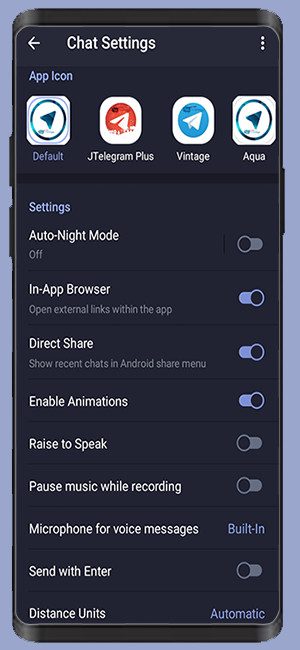
Customization is one of the biggest highlights of JTelegram v17.0 Jimtechs Edition.
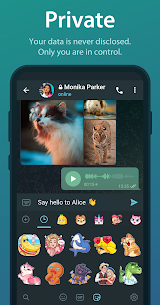
Users can change themes, adjust fonts, and personalize the chat appearance. These options help create a more comfortable messaging experience.
If you like your apps to match your personal style, this feature makes a big difference.
Built-In Translation Support
Telegram is used by people around the world. Therefore, translation tools are very useful.
JTelegram Jimtechs Edition includes chat translation features that help users communicate across different languages more easily.
This is helpful for international groups, global communities, and multilingual conversations.
Improved Contact Alerts
The new version includes contact confirmation alerts. This helps users stay more aware of contact-related changes and improves communication clarity.
It is a small feature, but it can be useful for people who manage many chats and contacts.
Star Messages System
The new Star Messages system helps users keep important messages easier to find.
Instead of scrolling through long chats, users can highlight useful messages and return to them later. This improves organization and saves time.
Core Telegram Features Users Still Enjoy
Telegram supports cloud-based messaging across multiple devices, so users can access chats from phones, tablets, and computers. [telegram.org]
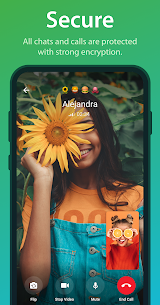
Telegram also provides Secret Chats with additional privacy features, including end-to-end encryption and self-destruct timers. [telegram.org]
For communities, Telegram groups can support up to 200,000 members, making it useful for large audiences and active groups. [limits.tginfo.me]
What’s New in JTelegram v17.0 Jimtechs Edition?
Here is the official-style changelog for JTelegram v17.0 Jimtechs Edition:
- Fixes for random crash issues
-
Updated JTelegram to official Telegram 12.10.1 base.
-
Fixed translation issues and improved whole-chat translation so a failed message won’t halt entire conversation translations.
-
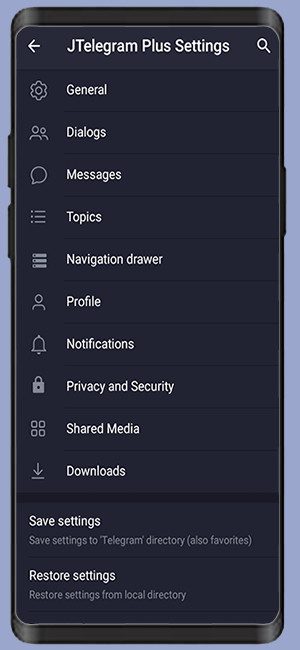
Settings enhancements: long-press opens JTelegram settings (normal tap opens standard settings) and added an in-settings search button.
-
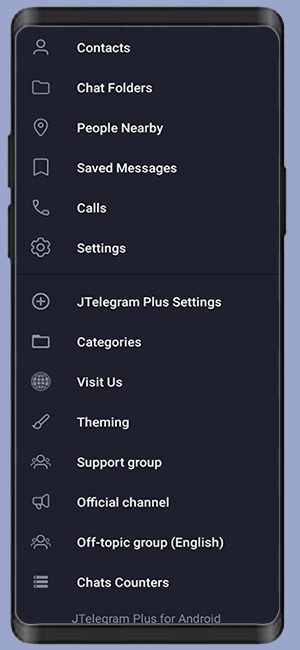
Navigation & UI tweaks: direct chat/channel/group search icon added, improved shared-media toolbar with direct tools, and side-menu customization added under JTelegram Settings ? Home Page
-
Media options: added settings to disable audio preloading, stop playback after the current song, and re-upload restricted media as a new copy when forwarding fails.
-
Shared media controls: added “Select All” for loaded photos, videos, files, voice notes, music, GIFs, and links.
-
Restrictions & protection: removed supported group/channel restrictions while allowing screenshots, copying, saving, and forwarding with “Disable Sharing” active (sensitive/temporary media remain protected).
-
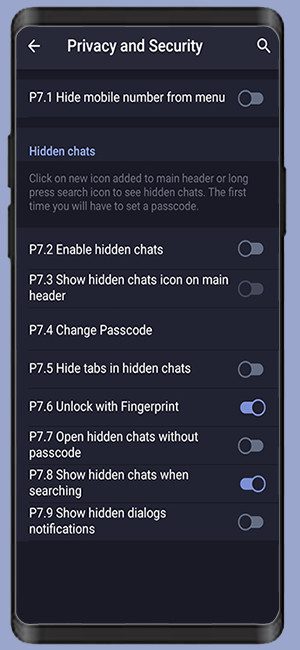
Privacy & security: fixed Hidden Chats PIN unlock reliability, improved Hidden Chats integration with the main chat list (preserving search, notifications, biometrics, and account settings), and fixed settings backup restoration
-
Chat management & shortcuts: added profile admin shortcuts for managed chats, direct “Edit Message” button, optional “Show Forward Button Beside Messages” toggle (JTelegram Settings ? Chat Screen), improved deleted-message forwarding, and expanded the pinned chat limit.
-
Navigation & folders: added tab restoration for last-used folder per account, fixed chat folder bugs (preserving custom folders and preventing duplicates), added infinite tab swiping (JTelegram Settings ? Home Page), and improved multi-account support across all features.
-
Convenience fixes: added gaming notification muting and fixed dimmed screen retention after copying message snippets.
-
Because of these improvements, the app feels smoother and more reliable.
Overall, this release focuses on stability, usability, and a smoother messaging experience.
Safety Tips for Users
To enjoy the best experience, follow these simple tips:
- Keep the app updated
- Use two-step verification when available
- Download only from trusted Jimtechs sources
- Review privacy settings regularly
- Use strong account security settings
- Avoid sharing sensitive information with unknown contacts
- Back up important chats when needed
These simple habits help keep your messaging experience safer and cleaner.
Why Use jimtechs.biz?
When looking for JTelegram v17.0 Jimtechs Edition, it is important to use trusted sources.
jimtechs.biz is one of the official homes for Jimtechs Edition apps, update notes, and release information.
You can also find related information on:
- jimods.com
- appstore.bz
This helps users stay informed about the latest versions and improvements.
Final Thoughts
JTelegram v17.0 Jimtechs Edition is a useful update for users who want Telegram to feel more personal, organized, and smooth.
It includes custom themes, fonts, translation tools, message controls, contact alerts, Star Messages, and stability improvements.
Visit jimtechs.biz for official information about JTelegram v17.0 Jimtechs Edition and future updates.
What's new
6
Images

Download links
How to install JTelegram v17.0 Jimtechs Edition Official Update – New Features & Improvements APK?
1. Tap the downloaded JTelegram v17.0 Jimtechs Edition Official Update – New Features & Improvements APK file.
2. Touch install.
3. Follow the steps on the screen.