Pulsar Music Player APK
Rhythm Software
v1.13.1
Description
Table of Contents
Pulsar Music Player v1.13.1 APK– The Ultimate Music App for Android
Pulsar Music Player is a top-rated music app for Android users, delivering a sleek design, powerful audio features, and an uninterrupted listening experience. Whether you’re a casual listener or an audiophile, Pulsar offers all the tools you need to enjoy your music collection fully.
Why Pulsar Music Player Stands Out
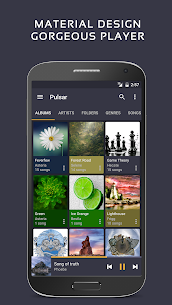
Pulsar Music Player isn’t just another music app—it’s a complete music solution. With millions of downloads worldwide, Pulsar is praised for its offline playback, excellent sound quality, and user-friendly interface designed following modern material design principles.
Key Features of Pulsar Music Player
-
Elegant Interface: Clean, intuitive design with smooth animations.
-
Offline Music Playback: Enjoy your music anywhere without interruptions.
-
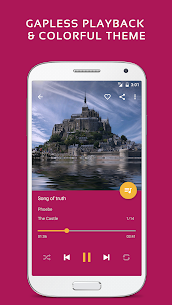
Gapless Playback: Listen to songs seamlessly without pauses.
-
Lyrics Display: Supports embedded lyrics and LRC files.
-
Crossfade: Smooth transitions between tracks.
-
Playback Speed Adjustment: Customize your listening experience.
-
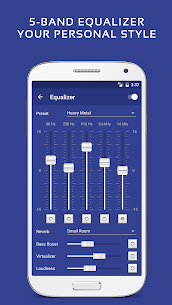
Built-In Equalizer & Visualizer: Tailor audio with advanced equalizer and real-time music visualization.
-
Chromecast Support: Stream your music directly to compatible devices.
-
Android Auto Integration: Safe and easy in-car music control.
-
Sound Balance & ReplayGain: Adjust volume levels for a consistent listening experience.
-
Sleep Timer: Automatically stop playback after a set time.
Free and Premium Options
Free Version:
-
All essential features available
-
Ad-free listening
-
Customizable themes and music organization
Premium Features (Optional In-App Purchase):
-
Additional themes and color customization
-
Advanced 5-band equalizer with presets
-
Bass booster, reverb, and audio effects
Supported Music Formats
Pulsar Music Player works with all popular formats, including:
-
MP3
-
AAC
-
FLAC
-
OGG
-
WAV
…and more.
If any tracks don’t appear in your library, use the “Rescan Library” option to refresh your music collection.
Support and Community
Need help or want to contribute translations? Connect with Pulsar’s community:
-
Email Support: [email protected]
-
Community Forum: XDA Developers – Pulsar Music Player Thread
-
User Manual: Pulsar Help
Legal Notice:
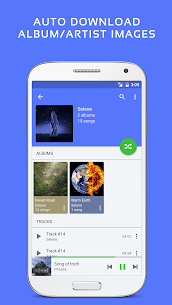
All album and artist images in the screenshots are licensed under public domain.
Enjoy Pulsar Music Player and take your music listening experience to the next level!
How to Install
Download the APK From above Link
install it on your device
Done
Enjoy!
Pulsar Music Player v1.13.1 APK
Video
Images
Download links
How to install Pulsar Music Player v1.13.1 APK APK?
1. Tap the downloaded Pulsar Music Player v1.13.1 APK APK file.
2. Touch install.
3. Follow the steps on the screen.