Weather Radar RainViewer APK
MeteoLab
Sep 23, 2016
Dec 4, 2023
v7.0.2
8.0
1,000,000+

Description
Table of Contents
Weather Radar RainViewer v7.0.2 APK – Your Ultimate Weather Guide
Stay prepared and informed with Weather Radar RainViewer, a powerful weather app for Android. Whether planning your day, commuting, or traveling, RainViewer provides accurate weather forecasts and alerts to help you stay ahead of the elements.
Real-Time Weather Updates
-
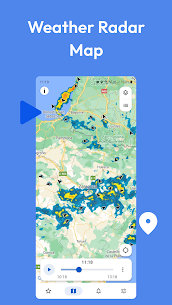
Live Radar Map: Track weather conditions in real time with an interactive radar map.
-
Accurate Rain Forecasts: Receive precise rainfall predictions so you can plan outdoor activities confidently.
-
Storm Tracking: Monitor storms and severe weather patterns to ensure your safety.
Smart Alerts and Notifications
-
Get timely weather alerts for rain, storms, and other critical conditions.
-
Customize notifications for locations that matter most, whether at home or on the go.
Global Coverage
-
Access weather information for cities and regions worldwide.
-
Check forecasts while traveling to stay informed wherever you are.
Advanced Weather Features
-
Visualize weather patterns with clear and easy-to-understand maps.
-
Plan your trips and daily activities with confidence using comprehensive meteorological data.
-
Intuitive interface ensures you can find the information you need quickly.
Why Choose RainViewer
-
Reliable weather data powered by advanced radar technology.
-
User-friendly interface suitable for all ages.
-
Detailed forecasts and alerts to help you make smart decisions.
-
Perfect for daily planning, outdoor activities, and travel.
Download Now
Stay ahead of the weather with Weather Radar RainViewer. Download today and enjoy accurate forecasts, storm tracking, and smart alerts—all in one app.
Weather Radar RainViewer v7.0.2 APK
What's new
• Bug fixes and performance improvements.
Video
Images



Download links
How to install Weather Radar RainViewer v7.0.2 APK APK?
1. Tap the downloaded Weather Radar RainViewer v7.0.2 APK APK file.
2. Touch install.
3. Follow the steps on the screen.